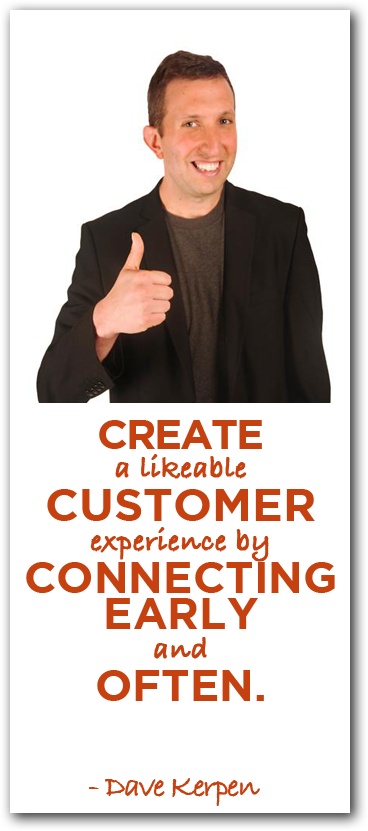
How to Make Your Small Business Likeable – Dave Kerpen

Dave KerpenIt’s not about YOU, it’s about your customer…so why do so few small businesses talk too much about themselves?

Do you know how to think like your customer or audience?

If you don’t, you’re not alone. Many small businesses aren’t aware they are not focusing as much on what their audience wants to hear and the results they get from social media aren’t stellar. That’s why we asked Dave Kerpen, author of Likeable Social Media and CEO of Likeable Local, to show us how, in this week’s episode of The Marketing Agents Podcast.

Big Ideas:

  • Why does it pay to be likeable and how can a small biz take advantage?
    • It’s not rocket science. It’s super simple.
    • Listen, be grateful, authentic, and transparent.
    • Be a great storyteller.
    • You can be more personable than a big business by listening and connecting better.
  • What are some tactics or strategies to start small business engagement?
    • The interaction starts in real life with the customer experience from start to finish.
    • Don’t ignore social media offline.
    • Connect early and often with your customers by creating contests, promotions, exclusive discounts and other creative ways to engage them.
    • It’s not about you, it’s about your customer and 90% of your content should reflect that.

    Take off your business cap and think like your customer. “If I were them, would I share this content or like it?” If not, then don’t bother.

  • If you’re in a traditionally non-likeable field, how do you become likeable?
    • Most all businesses can be likeable with the correct approach.
    • Figure out who you want to connect with.
    • Make it person-to-person and not business-to-business.
    • Give them valuable, relevant content.
  • Is there any conflict with being likeable and using social media ads?
    • If they’re done right, they’re not disruptive and they can add value.
    • Have great content and you’ll reach the right people.
    • Focused ads with the correct social context will still be likeable.
  • Any time saving strategies for people without dedicated social media managers?
    • Likeable Local has a new free app coming soon that will make it very easy to publish to and manage all your social networks. (More info coming soon!)
    • You can also use popular publishing tools like Buffer and HootSuite.
  • How can you integrate social media into the entire customer experience?
    • Make sure you’re social at any given point.
    • You can bake in social interaction on your receipts, emails, at the end of calls by asking for feedback, sharing their experience, etc.
    • Promotions and incentives help get social media likes, shares, and ultimately conversions.
    • Get creative with how you communicate with your customers.
  • How do we tell better stories as a small business?
    • It comes across in what you say and what you do.
    • Craft your stories ahead of time by using a template with these topics:
      • What were your humble beginnings?
      • How have you solved customer problems?
      • What did your business do to influence your employees’ lives?
      • What communities or charities do you support?
      • What do you do when you’re not working?
    • Tell your stories with audio, video, shares, tweets, posts, ebooks, etc.
    • What are your stories and how are they best told?
    • Unlike traditional advertising, social media is inexpensive and takes less time to build momentum.
    • If a story doesn’t resonate, tell a different story tomorrow in a different format.
    • Once you hit your target, then you know what to focus on.

Juicy Links:

Rich Brooks
Always Be Measuring

10 Social Media Tools You Can’t Live Without – Ian Cleary

Ian-Cleary-PinterestReading, commenting, sharing, and curating content isn’t always easy. Ian offers solutions to this issue.

Getting the most out of your own content, or other content can save you time and money. 

In today’s episode, we turn to social media expert Ian Cleary, who has used various social media tools to curate his content, and help his audience share theirs.

We talk about Ian’s favorite tools, WordPress plugins, and guides to help you get the most out of your content across your social media platforms.

Now, if YOUR favorite social media tool didn’t make it make it into our top ten, be sure to let us know in the comments below!

Big Ideas:

How did RazorSocial start?

  • Started as a blog focusing on social media.
  • Offered tips and how-tos on social media management tools and analytics tools.
  • Now a business that offers social media advice to other companies, as well as offering valuable content to their audience.

What are your favorite social media tools?

  • 1. Post Planner: Installed within Facebook, it helps manage page content, scheduling content, and is also a content discovery engine. You can search keywords by like or share popularity. This gives you thousands of status update ideas as well as the ability to schedule shared posts in a queue.
  • 2. & 3. Feedly w/ Buffer: Track content across many blogs. Subscribe to blogs within Feedly and then read content on your desktop or mobile device. Buffer integrates to save you time by letting you schedule content sharing at a later date.
  • 4. Social Oomph: Automate distribution of older evergreen content (content that’s still relevant despite it’s age). Use this tool to recycle your evergreen content so relevant Twitter content recycles and thus gives you a chance to pull in more audience and shares.

What are your favorite WordPress plugins?

  • 5. OptIn Monster: A pop-up that helps build your email conversions. It won’t appear unto you mouse over a specific area of intent or if you try to exit the website.
  • 6. WordPress SEO: Helps you identify what to change or edit within your posts and pages to optimize your keywords for search engines.
  • 7. Flare: Social sharing plugin that will follow user as they scroll on the left or right side of screen. Helps people actively share your content on Twitter, Facebook, Google+, Pinterest, Reddit and more.

Any other social media sites or resources you recommend?

  • 8. Agora Pulse: A Facebook management platform that has lets you manage many applications. You can even run a Facebook competition and test it before it goes live. It’s like ShortStack, but with more management options.
  • 9. ScoopIt: Helps you find people that have already curated content. You can follow them to see their best content and then share it with your audience as well as post your own content to broaden your reach.
  • 10. Mention.net: A media monitoring, community management, and analytics tool. Great for small businesses to monitor social media chatter from an audience or niche. Learn what your audience or competition is saying about your brand by keyword and venue. Great for targeting industry keywords as well as giving you ideas for new content or business opportunities.
  • Social Media Tools Guide (from Razor Social): A free e-book that has a list of social media tools. Offers steps to set up these tools and how to manage them.

Juicy Links:

Rich Brooks
The Original Social Media Tool

Business Lessons from a Suitcase Entrepreneur – Natalie Sisson

Natalie-Sisson-PinterestToo many small businesses remain stationary and inflexible. Natalie preaches freedom.

Freedom to build a new lifestyle around your business can save your audience time and money. 

In today’s episode, we turn to small business entrepreneur expert Natalie Sisson, who has used social media to grow her own business, and help her audience grow theirs.

We talk about multiple income streams, when and how to market your online and offline products, strategies for building your email list, and tools to save time and make money.

Big Ideas:

How did you become the Suitcase Entrepreneur?

  • Had 8 years of corporate marketing & branding experience co-founded a tech start-up.
  • Started blogging about the art of entrepreneurship.
  • Packaged knowledge and skills online, and ran a social media workshop.
  • Took business on the road and combined love of travel.

What do you say to people that doubt you?

  • I just preach the freedom to do what you want, when you want, and where you want.
  • Suitcase Entrepreneur is about teaching your community to use their time and money in a different way to build a new business and lifestyle.

What are your multiple streams of income?

  • Online and in-person bootcamps that can be purchased online or as ebooks.
  • Coaching groups or one-on-one via Skype while recording each session for later use.
  • Product recommendations to build up credibility and trust with audience.
  • Sponshorships for podcasts, products, and other offerings as value for community.

How do you figure out what content to create, what are your steps, and how do you market it?

  • Survey your audience on their biggest challenges and issues and then address it in your content.
  • Try to create something practical while using your past skills and experience.
  • Give yourself time to properly launch your content.
  • Market your product before, during, and after you post it.
    • Make info promoting content beforehand in your site banners, opt-in forms, emails, blog posts, etc.
    • Make a launch period for early bird or loyalty discounts.
    • Consistently talk about your new or current content and reference it after it’s posted.
  • Try to guest blog or create joint promotions with others to help expand your audience and be sure to give newcomers opt-in options.
  • Partner with relevant people and networks.

What are your tactics/strategies for collecting emails?

  • Email twice a week. Once about business and travel storytelling and once with a call-to-action.
  • Put opt-in forms on your blog and try various places and messages to test what works well.
  • No pop-ups! Being in people’s faces all the time doesn’t help, it hurts.
  • Don’t just say “sign up for my email list.” Give your audience a reason to trust you by including some motivation to sign up for more.
  • Listen to what your audience says and be yourself when creating emails.

Do you find you’re telling different stories based on your platform?

  • Not really.
  • Blog videos and podcasts are usually about creating freedom in your business and life.
  • Blog articles are more about specific topics.
  • Tends to use similar messages across all platforms, but will mix it up to see reaction and results.

How did you get writing gigs?

  • A bit of luck, but mostly through connections and past experience.
  • Be open to opportunities.
  • Join relevant networks to open up connections and options.
  • Was approached by Forbes after a past article was highlighted in a Forbes article.
  • Use HARO (helpareporterout.com) to make others aware of your expertise and use it to connect with clients and audience.

Contrary to expectations, Natlie’s blog posts and guest blog posts actually get more engagement than major publications!

What’s the most interesting place you’ve ever been to and want to go back?

  • Laos – It had the most intriguing and beautiful spirit. It’s people were very simple and inviting.

Juicy Links:

Rich Brooks
Lifestyle Entrepreneur

Build Your Network and Business Using LinkedIn – Stephanie Sammons

Stephanie SammonsToo many small businesses focus their online marketing and communications on Facebook and Twitter, almost ignoring LinkedIn.

Yet LinkedIn can be the most powerful platform for networking, prospecting, and engaging your ideal customer online. 

In today’s episode, we turn to LinkedIn expert Stephanie Sammons, who has used LinkedIn to grow her own practice, and help her consulting clients grow theirs.

We talk about creating an irresistible profile, how to get found in LinkedIn search, the power of groups, and whether or not you should invest in the paid version of LinkedIn to help grow your network.

Big Ideas:

How did you first discover LinkedIn and how it would grow your own business?

  • A lot of Stephanie’s target market is on LinkedIn.
  • One of the only allowed social media outlets for financial advisors.
  • Pitched an article about LinkedIn to the Social Media Examiner and they liked it.

What do you say to people that think LinkedIn isn’t as valued a social media venue?

  • It’s a deeper, richer experience for connections and therefore a better opportunity to build influence.
  • You can learn a lot about a person from their profiles and networks.

Recommendations for making an effective profile on LinkedIn?

  • It’s the place to be if you want to build influence for your profession or personal brand.
  • Build your brand on LinkedIn regardless of your target market.
  • It’s your default professional identity online. It ranks well in Google searches.
  • Make sure it’s well written and professional.
  • Summary headline + photo are two most important elements to your profile.
  • Make your summary relevant. It’s your default online bio.
  • Important to make sure you use target market language.

6 billion people searches last year!

Advice on Connections

  • Make as many good connections on LinkedIn as possible. 
  • You still have an ability to stand out with your 1st degree network.
  • You can mention connections in your network in your posts.
  • Think outside of only potential clients in your network.
  • Focus on quality over quantity.
  • Always personalize notes when connecting and start dialogue.

Should we join LI groups, or create our own?

  • Do both.
  • Stick to well managed groups.
  • Be diligent about who you let into your own groups.
  • Groups are a great source of lead generation and to establish credibility and build trust.
  • Join local groups, targeted groups.

How much time is required to manage our own groups?

  • Ask and answer questions to engage authentically in discussions.
  • Link to a relevant blog post within a discussion.
  • Spend about an hour a week max to manage.

One of the biggest benefits to running your own group is the ability to send out weekly emails to the group.

What ways can you get people talking in your group?

  • Best way is to use the email message feature to get engagement.
  • Ask thought provoking questions to start discussion.

How can small businesses use the company page feature?

  • Important because it’s an extension of your brand.
  • Need a couple hundred followers to get some traction.
  • Do grass roots promotion to get followers for your business.
  • Update the page at least one page a day.
  • Access to sponsored updates with company page.

How to use sponsored posts:

  • Can target by geo location, job title, industry.
  • The sponsored post needs a call to action with a consistent and relevant landing page with value.

Thoughts on LinkedIn ads:

  • Not much success with these ads.
  • Follow company page ads get more visibility make it an attractive reason to follow your page.
  • Used to drive people to your page.

Should we get a Premium account?

  • Benefit is the expanded search visibility and to identify people in your target markets.
  • Can see who’s viewed your profile.
  • More info in regards to profile stats.
  • Can send more inmails (can be used to get on top influencers’ radar, ask for advice)
  • Use inmails to gain influence in your networks, make inroads with someone who wouldn’t normally be in your network.

What one thing would you change about LinkedIn?

  • More ability to build in calls to action on profile because Activity builds visibility.

How can we integrate LinkedIn into our websites?

  • Blog sidebar follow button.
  • Use LinkedIn social share button.
  • Company page URL in emails, biz cards, anywhere relevant.
  • Cross promotions with groups with Twitter and Facebook.

Juicy Links:

Rich Brooks
Connect with me on LinkedIn

How to Measure Social Media with Nichole Kelly

Nichole KellyMeasuring your social media ROI (return on investment) is critical to the success of any digital marketing campaign…so why do so few small businesses do it?

Do you know how to measure your social media activity, and see if it’s all worth it?

If not, you’re not alone. Many small businesses have no idea how to set goals and measure the time and results they get from social media. That’s why we asked Nichole Kelly, author of How to Measure Social Media and CEO of Social Media Explorer, to show us how, in this week’s episode of The Marketing Agents Podcast.

Big Ideas:

  • How can small businesses get started with measuring social media?
    • Install Google Analytics and set up goals.
    • Add Google URL parameters to links to track everything.
    • Use Google URL builder (source, medium, campaign parameters) 
  • How can small biz determine what their goals should be on social media?
    • Brand awareness
    • Revenue generation (can you get them to spend more money more often?)
    • Customer service (look for cost deflection – more customers for less money)
  • How do you align social media with sales funnels?
    • If you do a good job, people will come and sales will result
    • If so, then track it!
    • Develop information content: ebooks, blog posts
    • Decision making content: made to tell if someone is making a decision at a specific point. Helps identify who to follow up with with more sales info.
  • How do you develop a listening station for social media?
    • Start with Google Alerts then go to more powerful tools.
    • Use HootSuite or Sprout Social (free or inexpensive)
    • NetBase, Sysomos, Radian6 (more expensive, enterprise level)
  • How do you measure social media leads?
    • Determine hard vs. soft leads
    • Soft leads: give contact info for information content. Follow up in different way – send more content but with decision making content. If they follow through, they become a hard lead.
    • Hard leads: downloads decision making content. Pass off to sales or direct follow-up.
  • How do you optimize the path to conversion?
    • Make it “stupid easy” to buy on social media. – custom tab or custom form.
    • When you arrive at a blog, how hard is it to buy? Is info capture method obvious?
    • A blog can be a customized landing page for sales.
  • How do you deal with negative feedback/comments?
    • Apologize. “So sorry for your experience.”
    • Acknowledge their complaint. It diffuses tension.
    • Act: how to resolve issue for client/customer
    • Be personally accountable for next steps.
    • Two types of negative customer:
      • Complain and then can be pacified.
      • Complain and keep on complaining.

Juicy Links:

Rich Brooks
Always Be Measuring